
 The Network Device Interface (NDI) is a powerful network video transport that allows simple, high quality video and audio signals to be transported across standard TCP/IP networks. Drastic supports NDI in most of its products, including Net-X-Code Server (I/O plus ingest/transcode/transwrap), FlowCaster (I/O), videoQC (monitoring), 4KScope/HDRScope/2110Scope (monitoring and analysis), and Test Pattern Generator (output). This article contains information on viewing NDI streams in Drastic software.
NDI Source
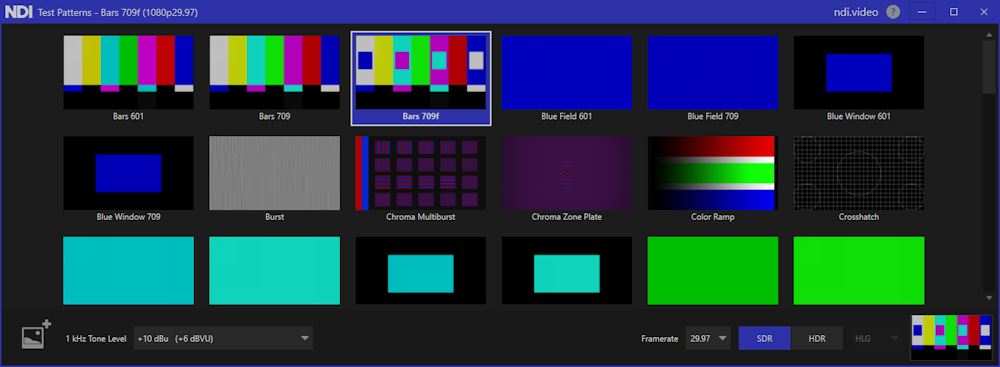
To quickly test a dependable NDI source, you can download and install the NDI test tools from NDI. They're handy, and provide a range of test patterns for output. Here is the test pattern output from NDI, set to the Bars 709f pattern:
Using videoQC and Net-X-Code Server to view NDI Streams
videoQC is included in, and can be used to view NDI streams in Net-X-Code Server.
To view NDI sources in videoQC, click the Open Stream menu, in the side bar menu.
This will bring up the Open url dialog box, which will display previous stream sources, as well as any other NDI source(s) detected on the network.

After selecting your stream source, click OK to open it.
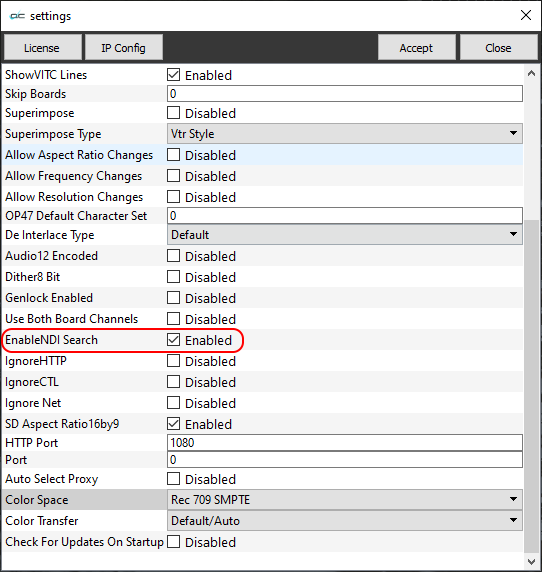
If no NDI sources are seen, please check the Settings window to confirm that Enable NDI Search is set.
Using DrasticScope to view NDI Streams
NDI Input is provided in DrasticScope at the 4KScope, HDRScope, and 2110Scope levels. You can view NDI streams on your network and view waveform/vectorscope analysis details in real time.
To view an NDI stream, open the Config dialog. The Config dialog box is available from the Gear icon on the main interface:

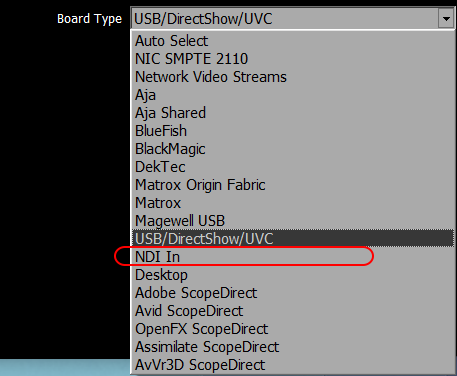
Use the Board Type pulldown menu to select NDI In.
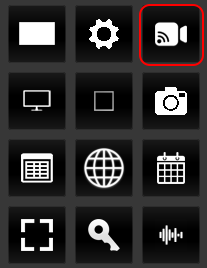
Once NDI is selected as the input type, select between available NDI sources using the IP Setup button (the camera icon) on the main interface.
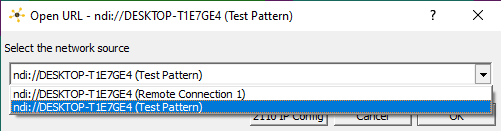
Clicking this button will bring up the Open URL dialog. Please note, fully populating this dialog may take a few seconds while all the network NDI sources are found.
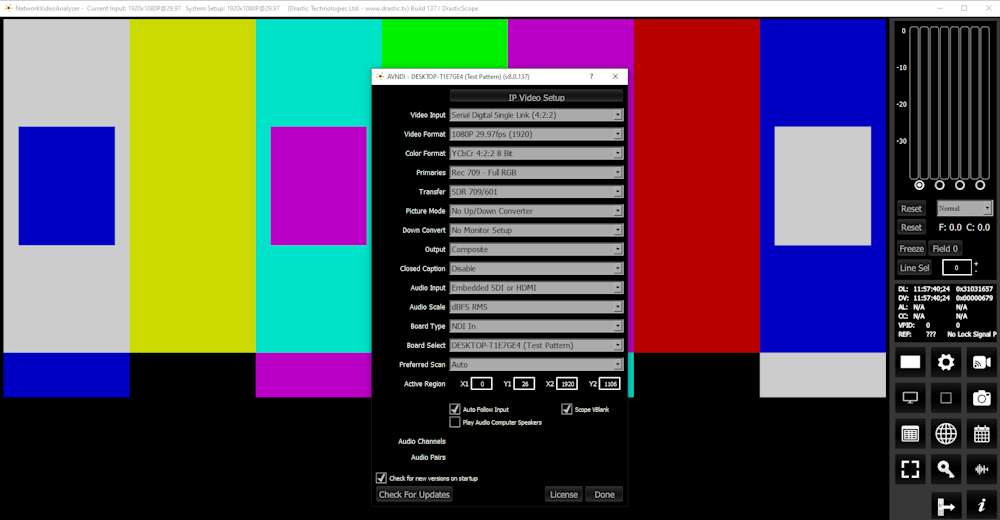
Once the desired NDI source has been selected as an input, it should begin streaming video. Here's that Bars 709f pattern streaming through:
Local Network
Keep in mind that when you are streaming with NDI any system on the "local network" can connect and view/record the stream.
Trademarks, Registered Trademarks, and CopyrightsTrademarks, Registered Trademarks, and Copyrights
Blackmagic Design Pty. Ltd. - DaVinci Resolve, DaVinci Fusion, UltraStudio, DeckLink, Intensity Pro 4K, UltraScope, and RED are either trademarks or registered trademarks of Blackmagic Design Pty. Ltd. or its subsidiaries in the United States and/or other countries.
Bluefish Technologies - Bluefish444, IngeSTore, Symmetry, Kronos, Epoch, Epoch:Neutron, Fury, Lust, Vengeance HD, Deepblue, Envy SD, and Epoch:SuperNova are trademarks of Bluefish Technologies
Drastic Technologies, Ltd. – trademarks specified here.
Matrox Electronic Systems, Ltd - Matrox and Matrox product names are registered trademarks and/or trademarks of Matrox Electronic Systems, Ltd.
NewTek, Inc. - NDI, TriCaster, 3Play, TalkShow, Video Toaster, LightWave 3D, and Broadcast Minds are registered trademarks of NewTek, Inc.
All other trademarks are the property of their respective owners.


